
Frequently Asked Questions
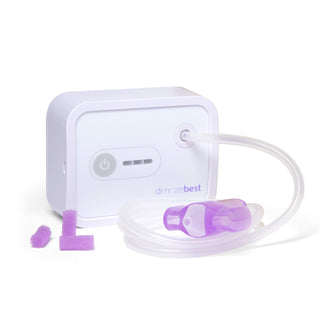
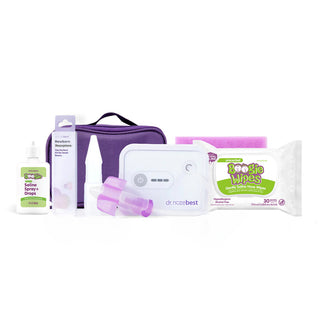
NozeBot & NozeBot On the Go FAQ
How do I clean the nozepiece?
Wash with warm soapy water or put into the dishwasher.
Is this dishwasher safe?
The tubing and nozepiece are both dishwasher safe.
How frequently do I need to clean the nozepieces and tubing?
We recommend cleaning after each use to prevent germ spread. The nozepiece should be replaced or cleaned when using on multiple children. The tubing can be cleaned less frequently as long as there is no liquid inside.
Why is there a reduction in suction?
A reduction in suction may be due to saline or mucus dripping into the device. It is important to ensure the filter is properly in the nozepiece to prevent dripping into the tube and beyond (this may be more common with severe congestion). You can also help prevent this by removing and cleaning the tubing after use.
Why does the NozeBot On the Go have less suction compared to the NozeBot?
The On the Go is meant to have less suction compared to the NozeBot. It is smaller and runs on AA batteries, rather than rechargeable. The On the Go is meant for regular mild congestion, and the NozeBot is intended for regular and severe congestion.
Why won’t it turn on?
Please make sure you are allowing the device to charge fully before using it. If you are still experiencing issues, please reach out to hello@drnozebest.com and our support team will help troubleshoot.
Can I use the nozepiece that comes with it for my newborn?
Yes, the standard nozepiece can be used on anyone. If you are noticing a difficult time with the nozepiece sealing around the nostril, the newborn nozepiece may be beneficial for the littlest noses.
How frequently can I use this on my child?
Use as frequently as needed to help clear congestion.
What age range should this be used for?
This device is safe for all ages. It is most effective for children who do not yet know how to properly blow their noses.
How loud is the device?
The NozeBot will emit a vibration/buzzing when turned on. If it is too loud for your child, move the device further away as the long tubing allows, or put a blanket over the machine to move the noise away from the baby’s face.
How often should I replace the tubing and nozepiece?
The tubing and nozepieces are reusable, however we recommend replacing them every few months to maintain the cleanliness.
How often should I replace the filters?
Filters should be changed when wet mucus has touched the filter.
My NozeBot is leaking, what should I do?
Avoid getting any fluids in the tubing and machine. If fluids do go through the machine, it will come out through a drain in the bottom. Wipe off the machine, then put it on a towel and turn it on. It will turn off on its own after 3 minutes. This will help flush any fluid out of it. Repeat as needed.
Does the NozeBot come with a warranty?
Register your device HERE for a free 6 month warranty: https://drnozebest.com/pages/returns-warranty
What is the return policy?
We strive to ensure you are satisfied with your purchase, but if that is not the case, please see the following details regarding our return policy:
We accept returns within 30 calendar days from the order delivery date. To receive a full refund, items must meet the following conditions:
Product must be unused and repacked appropriately with all accessory parts and documentation in original packaging
Product must be purchased directly from Dr. Noze Best
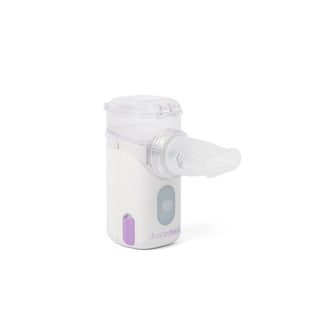
Nebulizer FAQ
What medication can I use in my nebulizer?
Only use sterile saline or medications intended for nebulizer use.
- Do not use colloidal silver, essential oils, hydrogen peroxide, or homemade solutions. They are not safe to inhale and can damage the device.
- Do not mix your medication with other drugs in the same nebulizer. Consult your doctor if you are using other types of medication. Thoroughly clean and disinfect the nebulizer and its parts between use of different medications.
Why won't my nebulizer turn on?
If your nebulizer does not turn on:
- The battery may be depleted. Charge the device using the supplied USB cable and power adapter before attempting to use it again.
Why isn't my nebulizer charging?
If the device does not charge:
- Verify that the power adapter is plugged securely into a working electrical outlet.
- Ensure the USB cable is fully connected to both the nebulizer and the power adapter.
- If the device still does not charge, try using a different compatible USB power adapter.
Why is my nebulizer producing little or no mist?
There are several possible causes:
- The medication cup is empty. Add medication before use.
- The medication level is incorrect.
- The medication is too thick for nebulization.
- The nebulizer kit is not assembled correctly. Make sure all components are properly assembled and the mouthpiece or mask is securely attached.
- The mesh disc is clogged. Clean and disinfect the nebulizer kit according to the Cleaning and Disinfection instructions. If needed, use the Self-Cleaning Function to help clear the mesh.
- The device is being held at an angle. Hold the nebulizer upright during treatment. Do not tilt the medication cup.
- The battery is low. Recharge the device before use.
- The medication tank is leaking. Discontinue use and contact Customer Service.
Why is there medication left in the medication cup after treatment?
A small amount of medication remaining in the medication cup after treatment is normal.
- Empty any remaining medication after each use.
- Clean and disinfect the medication cup according to the Cleaning and Disinfection instructions before storing the device. (Page 16 of Instruction Manual)
How do I clean my Nebulizer?
To clean the main unit:
- Wipe the exterior of the device with a clean cloth lightly dampened with drinking-quality water.
- Dry the device thoroughly with a clean, dry cloth.
Important:
- Do not immerse the main unit in water or allow water to enter the device. Doing so may damage the device.
- Clean the main unit daily or whenever it becomes visibly soiled.
- Before storing or using the nebulizer again, ensure the main unit is completely dry.
How do I disinfect the medication tank and mouthpiece?
After each use, disinfect the medication tank and mouthpiece as follows:
- Pour 10 mL of 75% alcohol into the medication tank.
- Allow the alcohol to soak for 10 minutes.
- Pour out the alcohol.
- Fill the medication tank with 10 mL of drinking-quality water (approximately 20°C / 68°F).
- Turn the nebulizer on and allow it to run until all of the water has been nebulized and the device shuts off automatically.
- Rinse the medication tank and mouthpiece under drinking-quality water (approximately 20°C / 68°F) for 2 minutes.
How do I disinfect the mask?
After each use:
- Wipe the entire surface of the mask with a 75% alcohol wipe, ensuring all areas that contact the face are thoroughly cleaned.
- Allow the mask to air dry completely before storing or using it again.
- Do not wash the mask with hot water, as it may damage the material and reduce its effectiveness
How often should I clean and disinfect my nebulizer?
To help maintain proper performance and hygiene:
- Main unit: Wipe clean daily or whenever needed.
- Medication tank and mouthpiece: Disinfect after every use.
- Mask: Disinfect after every use.
When should I contact Customer Service?
Contact Customer Service if:
- The nebulizer will not turn on after charging.
- The device will not charge after checking the power connections.
- The medication tank is leaking.
- The nebulizer produces little or no mist after cleaning, properly assembling the device, and ensuring it is fully charged.
- The device appears damaged or is not operating as expected.
Indicator Light Description
- Green light: Low nebulization rate
- Yellow light: Medium nebulization rate
- Blue light: High nebulization rate
- Purple light: Self-cleaning function
- Red light flashing for 3 seconds: Low battery
- Blue light above the USB cover: Battery is charging
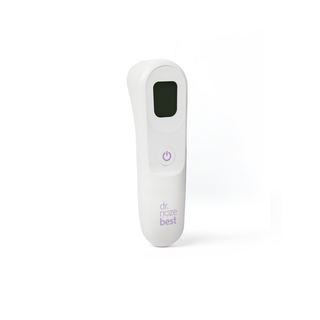
Thermometer FAQ
Why is my thermometer giving an inaccurate or unexpected reading?
Several factors can affect the accuracy of a temperature measurement. Try the following:
- Make sure the thermometer is aimed at the center of the forehead.
- Hold the thermometer approximately 3 cm (1.2 inches) away from the forehead.
- Ensure the forehead is free of hair, sweat, oil, makeup, or other obstructions.
- Clean the probe lens according to the Cleaning and Disinfection instructions. (Page 9 of Instruction Manual)
- If you or the thermometer has recently been exposed to very hot or cold temperatures, allow both to adjust to room temperature for at least 30 minutes before taking a measurement.
- Verify that the thermometer is set to Human Body Mode and not Surface Temperature Mode.
- Ensure the person remains still during measurement
- Do not compare readings taken while asleep to those taken while awake
- Avoid measurements within 30 minutes of physical activity, bathing, or outdoor exposure.
Why won't my thermometer turn on?
If the thermometer does not power on:
- Replace the batteries with new ones.
- Confirm the batteries are installed correctly and the polarity (+/-) matches the battery compartment markings.
- If the thermometer still does not turn on after replacing the batteries, contact Customer Service.
Why is the low battery symbol displayed?
- The low battery icon indicates that the batteries are nearly depleted.
- Replace the batteries as soon as practical.
- Cold temperatures can temporarily reduce battery performance. If the thermometer has been stored in a cold environment, allow it and the batteries to warm to room temperature before use.
What type of batteries does the thermometer use?
What type of batteries does the thermometer use?
How do I change between Fahrenheit and Celsius?
With the device powered on, press and hold the Memory and Mode buttons together to switch between Fahrenheit and Celsius. A beep confirms the change.
How do I change between Standard mode and Night mode?
- Press the Mode button to toggle modes
- Night mode silences all beeps. Night mode displays a moon icon.
Why does my thermometer turn off automatically?
- The thermometer is designed to automatically power off after 60 seconds of inactivity to conserve battery life.
- Press the Power button to turn the thermometer back on.
- If the thermometer continues to shut off unexpectedly, replace the batteries.
- If the problem persists after replacing the batteries, contact Customer Service.
How do I clean my thermometer?
- Clean the measurement sensor before and after each use with a 75% alcohol wipe
- Wipe the thermometer body with a soft, dry cloth
- Do not use abrasive cleaners, solvents, or submerge the device in liquid.
When should I contact Customer Service?
Contact Customer Service if:
- The thermometer does not power on after replacing the batteries.
- The thermometer continues to shut off unexpectedly after installing new batteries.
- You continue to receive inaccurate readings after following the troubleshooting steps above.
- The thermometer appears damaged or is not operating as expected.
Error Code Meaning
What does the “HI” error code mean?
Cause: The temperature is above the measurable range (above 109.4°F / 43°C).
Solution: Operate the thermometer only within the specified temperature ranges. If necessary, clean the sensor tip. In the event of a repeated error message, contact your retailer or customer service.
What does the “Lo” error code mean?
Cause: The temperature is below the measurable range (below 93.2°F / 34°C).
Solution: Operate the thermometer only within the specified temperature ranges. If necessary, clean the sensor tip. In the event of a repeated error message, contact your retailer or customer service.
What does the “Err” error code mean?
Cause: The operating temperature is outside the specified range (59°F~104°F / 15°C~40°C).
Solution: Operate the thermometer only within the specified operating temperature range.
